I built tamamo, a tool that uses LLM to generate and operate realistic web honeypots. This post walks through the motivation and design decisions behind it.
Motivation #
Honeypots serve many purposes — studying attacker behavior, gathering threat intelligence, and detecting intrusions. While the public internet is too noisy for detection (everything gets scanned constantly), internal networks are a different story. A honeypot sitting on an internal network is an excellent tripwire for lateral movement: legitimate users have no reason to touch it, so any interaction is a red flag.
The problem is that traditional web honeypots are too static to be convincing. Hardcoded login pages and dashboards are easy to spot, especially when they come from well-known open-source projects that attackers can fingerprint. Building a realistic-looking admin panel by hand for each deployment is tedious and impractical. On top of that, behaviors like accepting arbitrary credentials on the first attempt, returning odd server signatures, or serving obviously templated pages all give the game away.
Design #
tamamo uses LLM (supporting OpenAI, Claude, and Gemini) to generate login pages, dashboards, API endpoints, and server signatures in a single pass. Everything is packaged into a ZIP file containing scenario.json (metadata and server signature), routes.json (route definitions), and the HTML assets.
scenario.json       # Metadata, server signature, headers
routes.json         # Paths, methods, response definitions
pages/
  login.html        # Login page
  dashboard.html    # Perpetual loading dashboard
  logo.svg          # Generated assets
You can control the output through parameters like --site-type, --site-style, --site-taste, and --site-lang.
Deception Techniques #
Page Diversification #
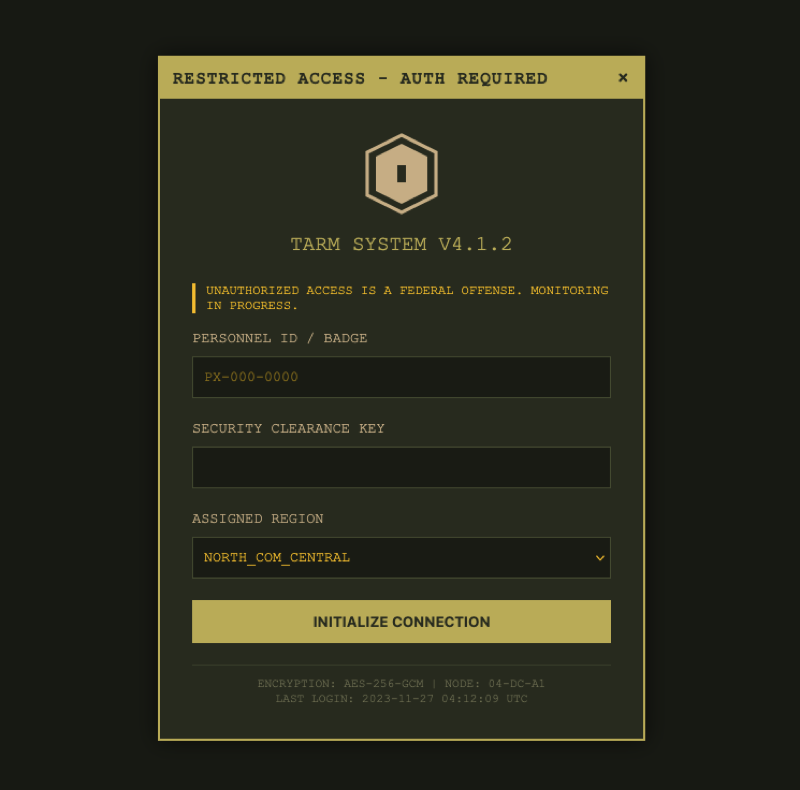
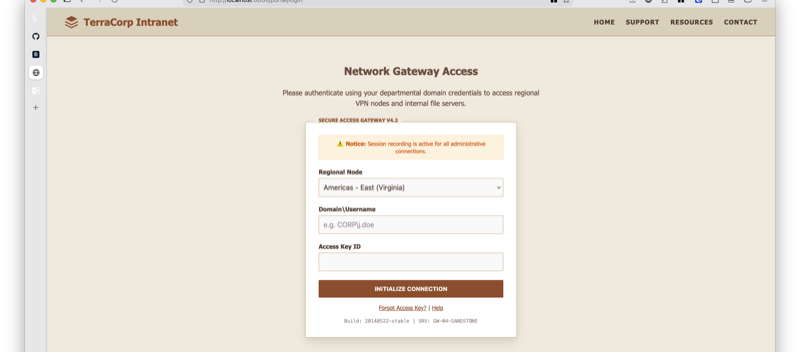
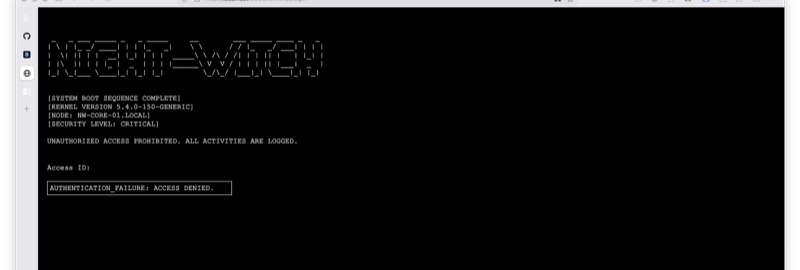
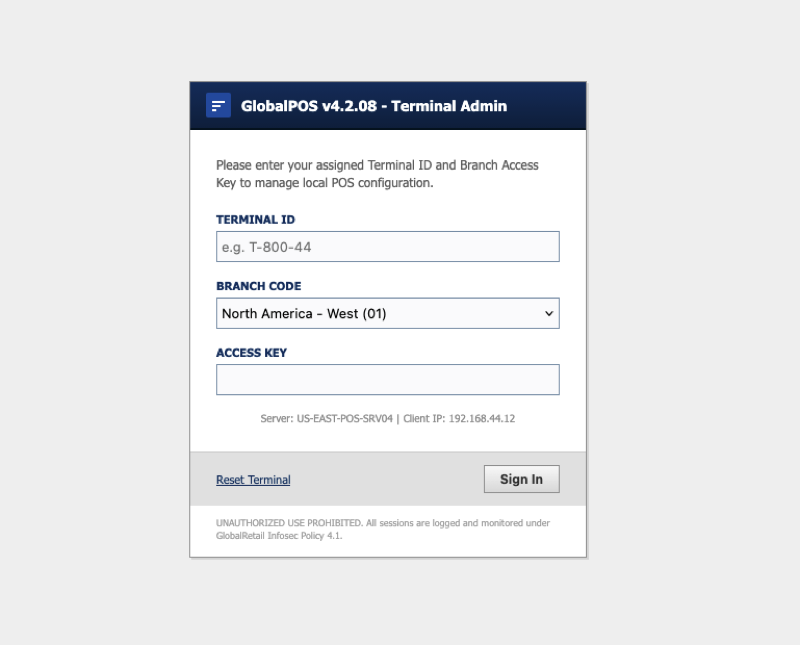
The foundation of tamamo’s deception is the sheer variety of pages it can produce. The LLM draws from 19+ layout patterns — centered-card, split-screen, terminal-cli, dialog-modal, and more. Form fields also vary: username vs. email, MFA inputs, SSO/SAML buttons. Every generation produces a visually distinct page, making it impractical to fingerprint against known honeypot templates.
Here are some examples generated with default settings, where the LLM randomly chose the site type and style:
You can also explicitly specify site type, style, and language to tailor scenarios for a specific deployment environment.
Authentication Simulation #
Authentication is where most honeypots fall apart. Some accept any credentials on the first try, which is a dead giveaway — in reality, an attacker is unlikely to guess the right password immediately and will try multiple times. tamamo tracks login attempts per source IP and simulates a realistic authentication flow using three parameters:
min_failures: the minimum number of distinct credentials that must fail before any can succeedsuccess_probability: the probability (0.0–1.0) that a new credential succeeds aftermin_failuresis reachedcredential_fields: which request body fields count as credentials (e.g.,["username", "password"])
Credential uniqueness is determined by SHA-256 hash, so the same credentials always produce the same outcome. By specifying credential_fields, unrelated fields like CSRF tokens are excluded from the check. The success/failure decision is also derived deterministically from the hash, meaning replays always yield the same result.
{
  "path": "/api/auth/login",
  "method": "POST",
  "auth": {
    "min_failures": 3,
    "success_probability": 0.2,
    "failure_status_code": 401,
    "failure_body": "{\"success\": false, \"error\": \"Invalid credentials\"}",
    "failure_headers": {"Content-Type": "application/json"},
    "credential_fields": ["username", "password"]
  }
}
Server Signature Spoofing #
Attackers routinely inspect response headers to fingerprint the underlying server. tamamo lets you set a server_signature in scenario.json to spoof the Server header (e.g., nginx/1.24.0 or Apache/2.4.41). Additional headers like X-Powered-By and X-Frame-Options can also be configured. These are applied to every response, presenting a consistent identity to anyone probing the server.
Hang Routes #
Routes with hang: true hold the connection open indefinitely without sending a response. Use this for a dashboard “Loading…” screen — after a successful login, the attacker waits, assuming the system is just slow. Events are still recorded during the hang, so observation is unaffected.
TLS Certificate Backdating #
The --tls flag auto-generates a self-signed certificate for HTTPS. A subtle but important detail: the certificate’s NotBefore date is randomly backdated by 3–12 months. A freshly generated certificate has a NotBefore timestamp of right now, which tells an observant attacker that the server was just spun up. Backdating makes it look like the server has been running for a while. You can also supply your own certificate via --tls-cert / --tls-key.
Observation #
As mentioned above, when tamamo sits on an internal network, any access to the host is already suspicious. Layer on login attempt logs captured as structured events, and you have strong evidence of an attack in progress.
Every interaction is captured as a structured event — HTTP method, path, headers, body, source IP, and scenario name, all emitted as JSON.
{
  "timestamp": "2026-03-20T12:34:56Z",
  "node_id": "honeypot-01",
  "event_type": "http_request",
  "source_ip": "203.0.113.1",
  "method": "POST",
  "path": "/api/auth/login",
  "body": {"username": "admin", "password": "P@ssw0rd"},
  "scenario": "acme-corp-admin"
}
Beyond log output, events can be forwarded to webhooks (with HMAC-SHA256 signatures) or Google Cloud Pub/Sub, making it straightforward to plug into existing security monitoring pipelines.
Reproducibility: Saving and Validating Scenarios #
A common concern with LLM-generated output is reliability. A PoC that produces broken HTML or inconsistent routing on every run is not viable for production.
tamamo addresses this in two ways.
First, scenario persistence via ZIP. Generated results are saved as ZIP files that can be deployed repeatedly. This also makes version control and sharing straightforward.
Second, tamamo validate runs checks against a saved scenario — catching routing inconsistencies, missing HTML files, and other issues before deployment. During generation, --max-retries enables automatic retries when validation fails.
Wrapping Up #
The source code for tamamo is available on GitHub.